DGCA Exam Form on Pariksha Portal
Start with the full DGCA examination-form flow for CPL and ATPL aspirants who already have their DGCA Computer Number. This guide helps candidates avoid common mistakes before applying on the Pariksha portal.
DGCA Pariksha Portal Guide
A clear step-by-step guide for aspiring pilots filling the DGCA examination form through the official Pariksha portal, from login and paper selection to Bharatkosh payment and admit card download.
Quick Overview
This guide is designed for student pilots and DGCA flight crew candidates who want to understand the examination form sequence before the application window opens.
It explains the practical order of the process, common checkpoints and places where candidates should slow down before submitting the form.
Keep Ready
Complete Process
Follow these steps carefully and verify every detail before final submission.
Start with the full DGCA examination-form flow for CPL and ATPL aspirants who already have their DGCA Computer Number. This guide helps candidates avoid common mistakes before applying on the Pariksha portal.
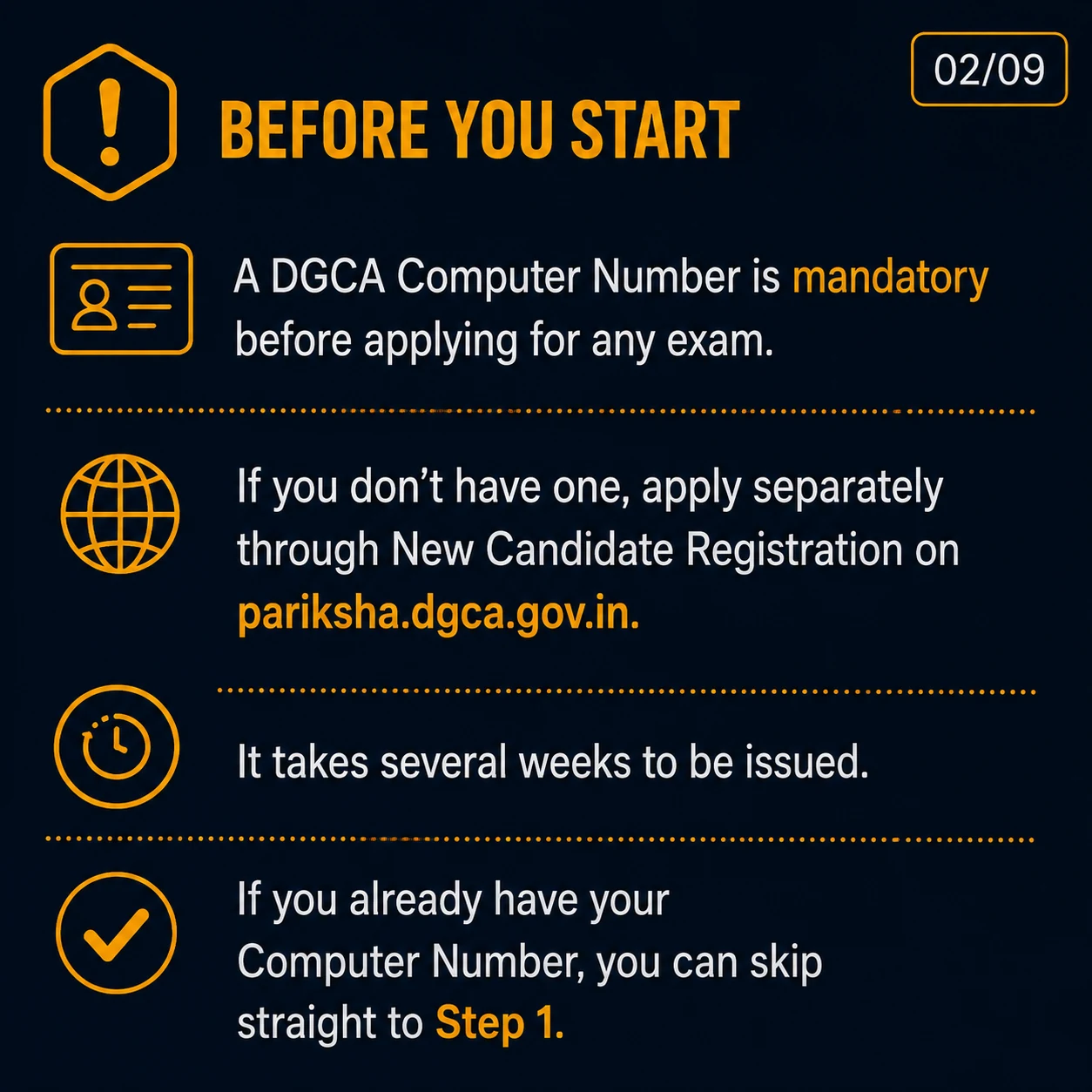
A DGCA Computer Number is mandatory before applying for any DGCA flight crew examination. If you do not have one, apply separately through New Candidate Registration on pariksha.dgca.gov.in and allow several weeks for issue.
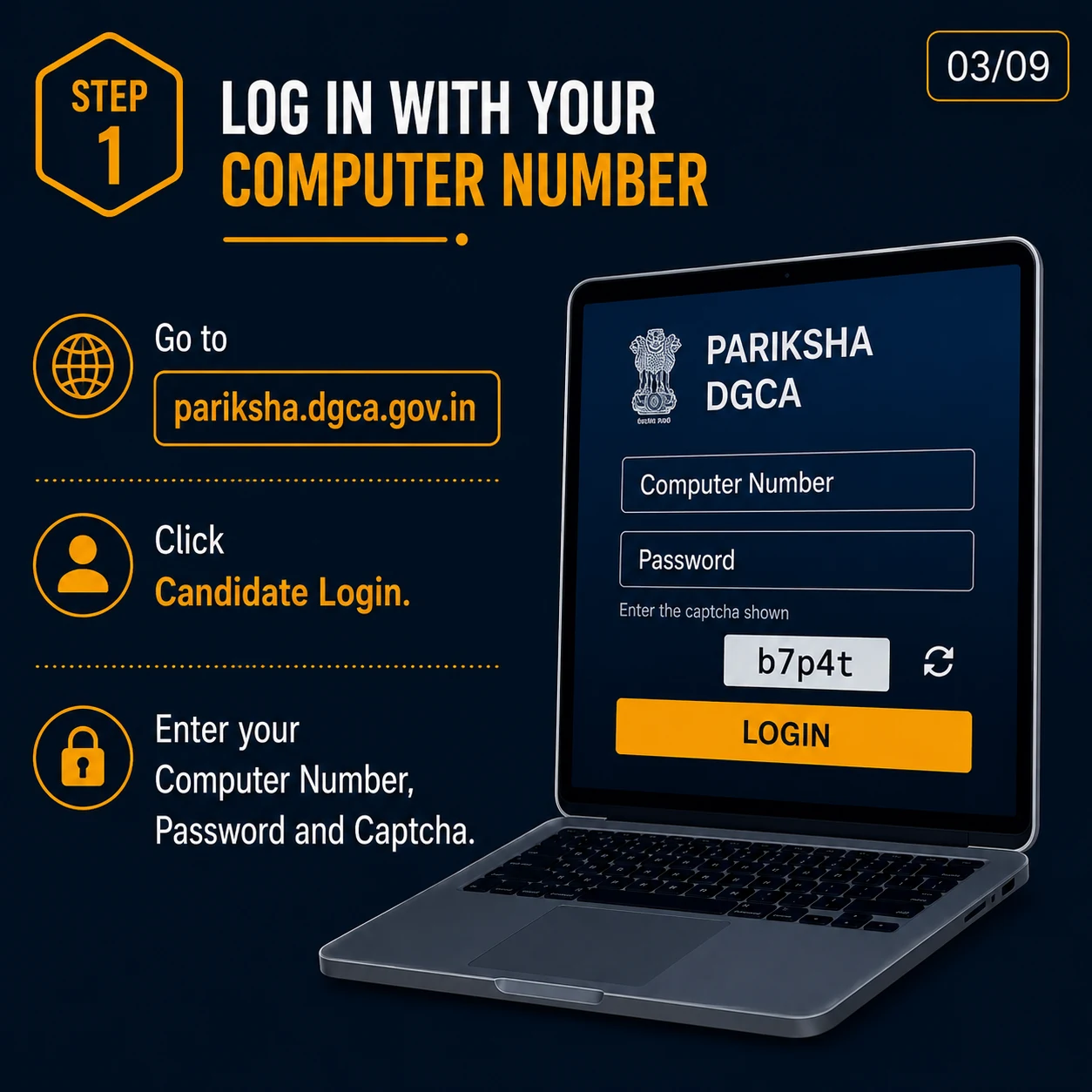
Go to pariksha.dgca.gov.in, click Candidate Login, and enter your Computer Number, password and captcha. Use only the official portal and keep your registered details accessible.
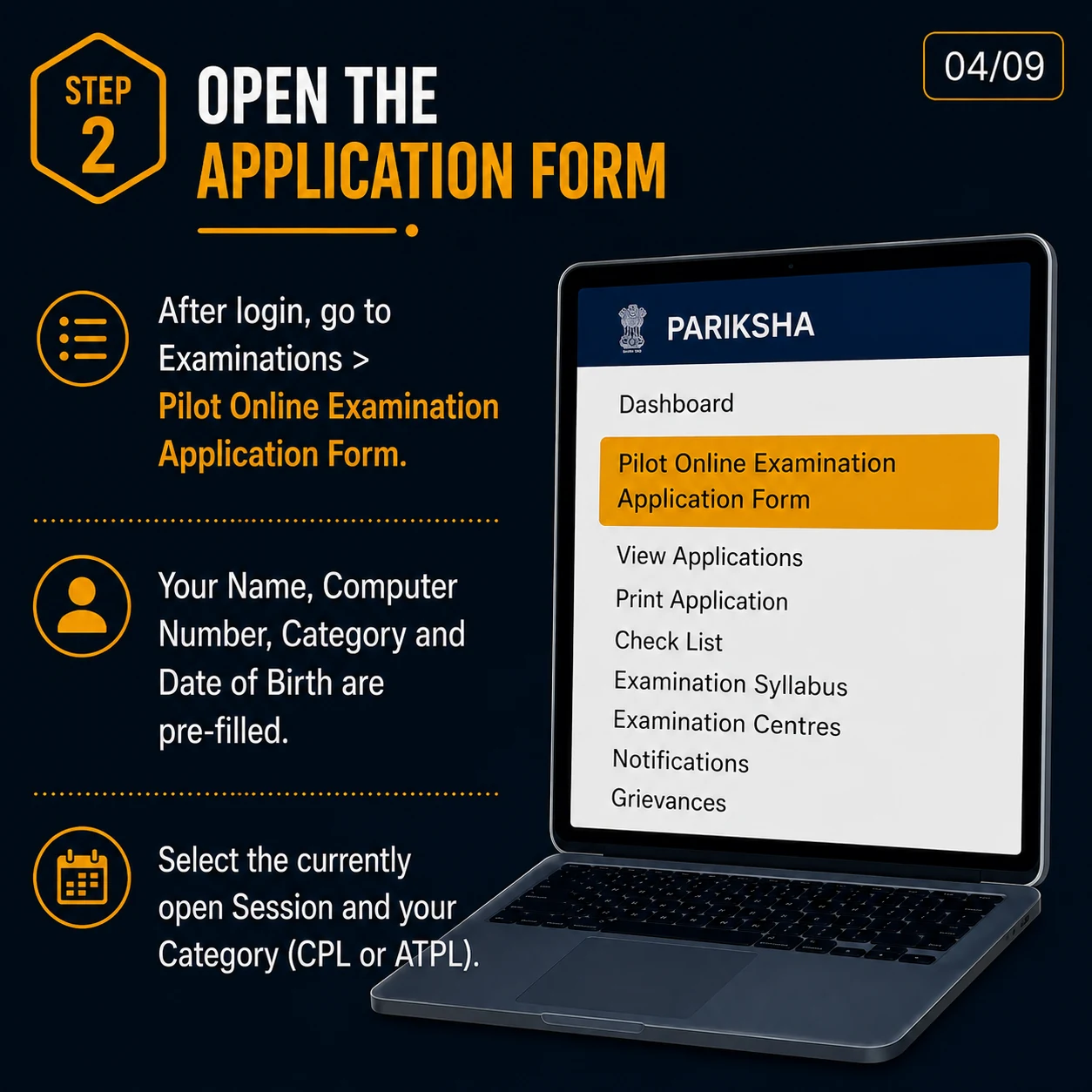
After login, go to Examinations and open Pilot Online Examination Application Form. Your name, Computer Number, category and date of birth are generally pre-filled. Select the currently open session and your category, such as CPL or ATPL.
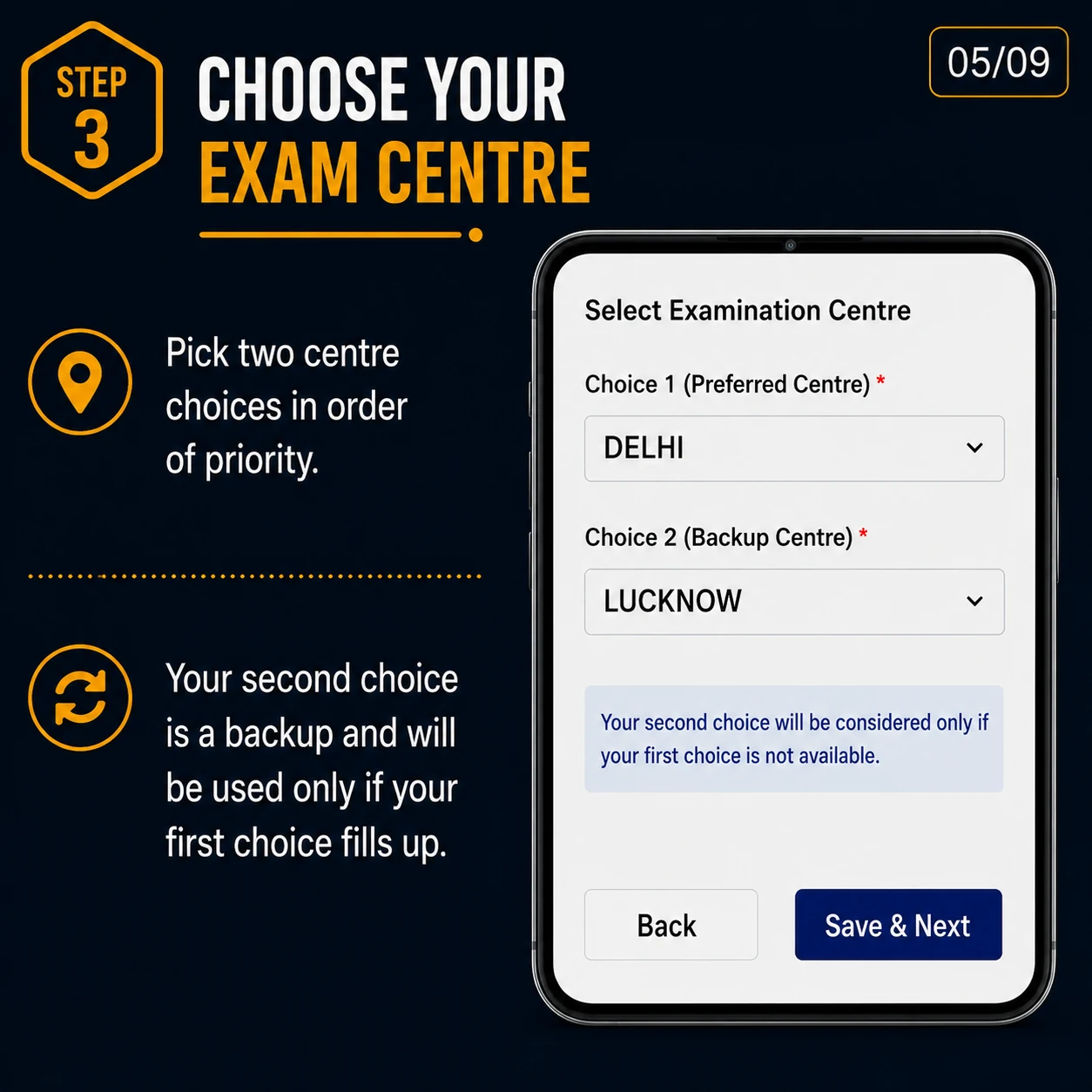
Pick two examination-centre choices in order of priority. Your second choice is only a backup and may be used if your first-choice centre is unavailable or full.
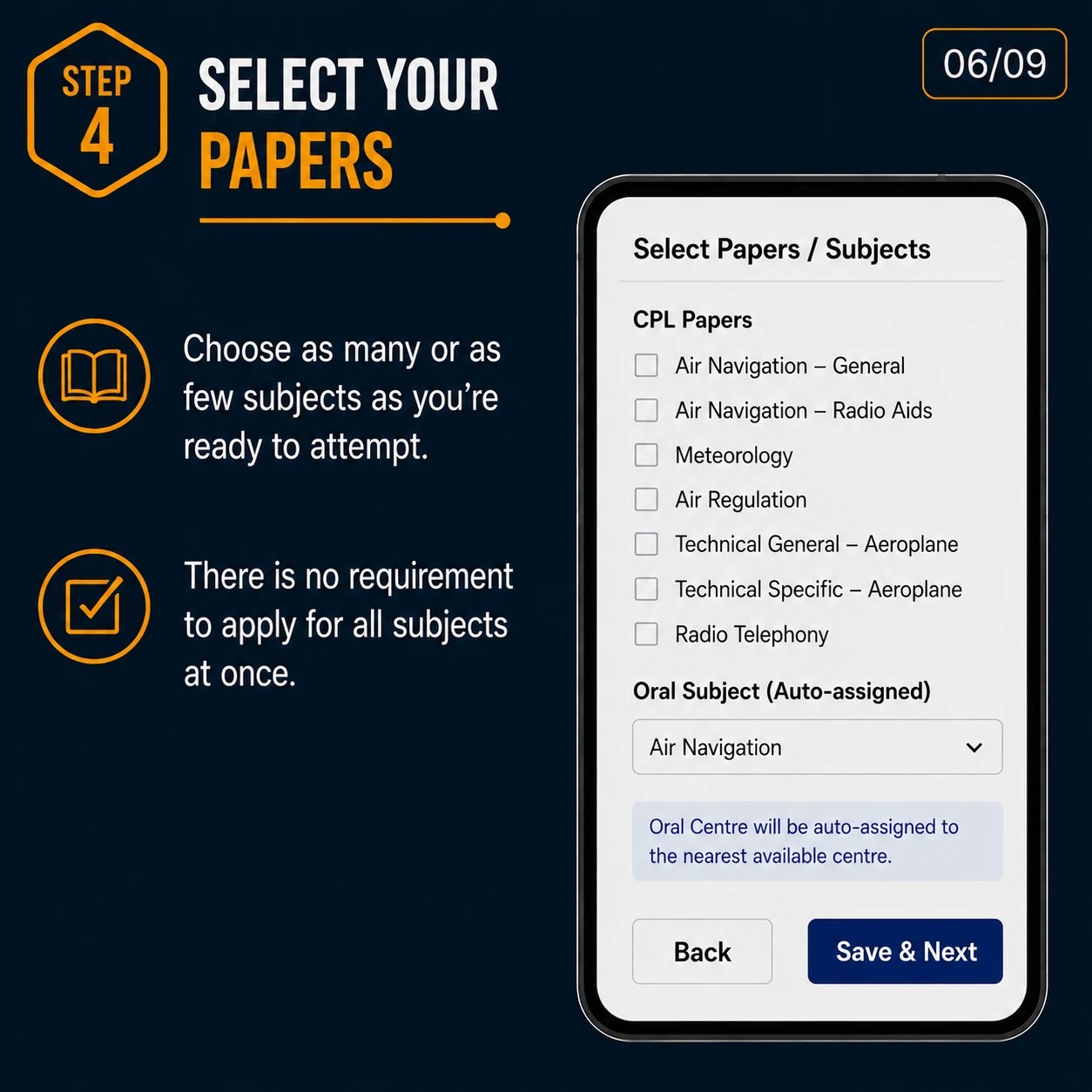
Select the papers or subjects you are ready to attempt. You do not need to apply for all subjects at once. Review subject names and codes carefully before moving ahead.
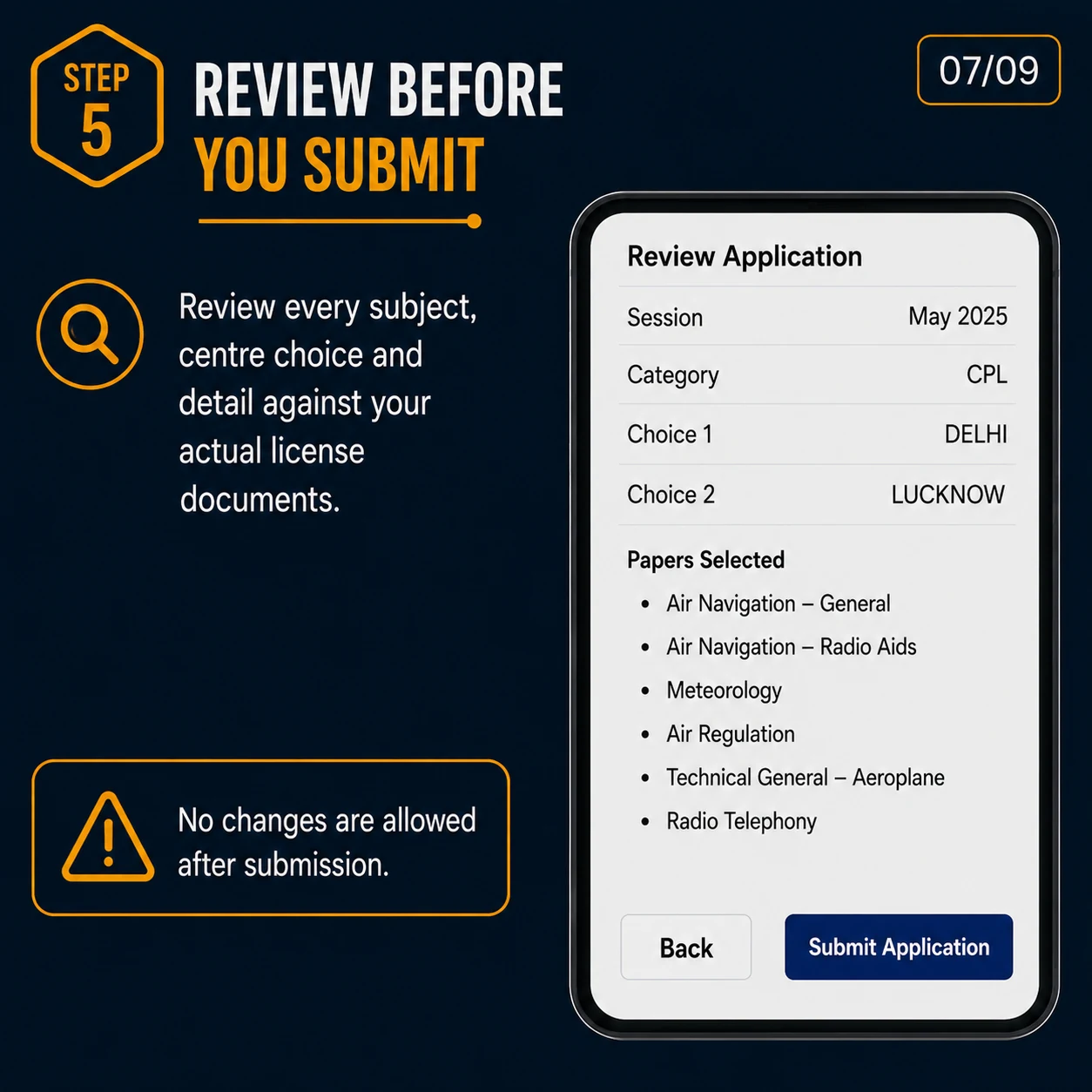
Review every subject, centre choice and personal detail against your actual licence and examination documents. No changes are usually allowed after final submission.
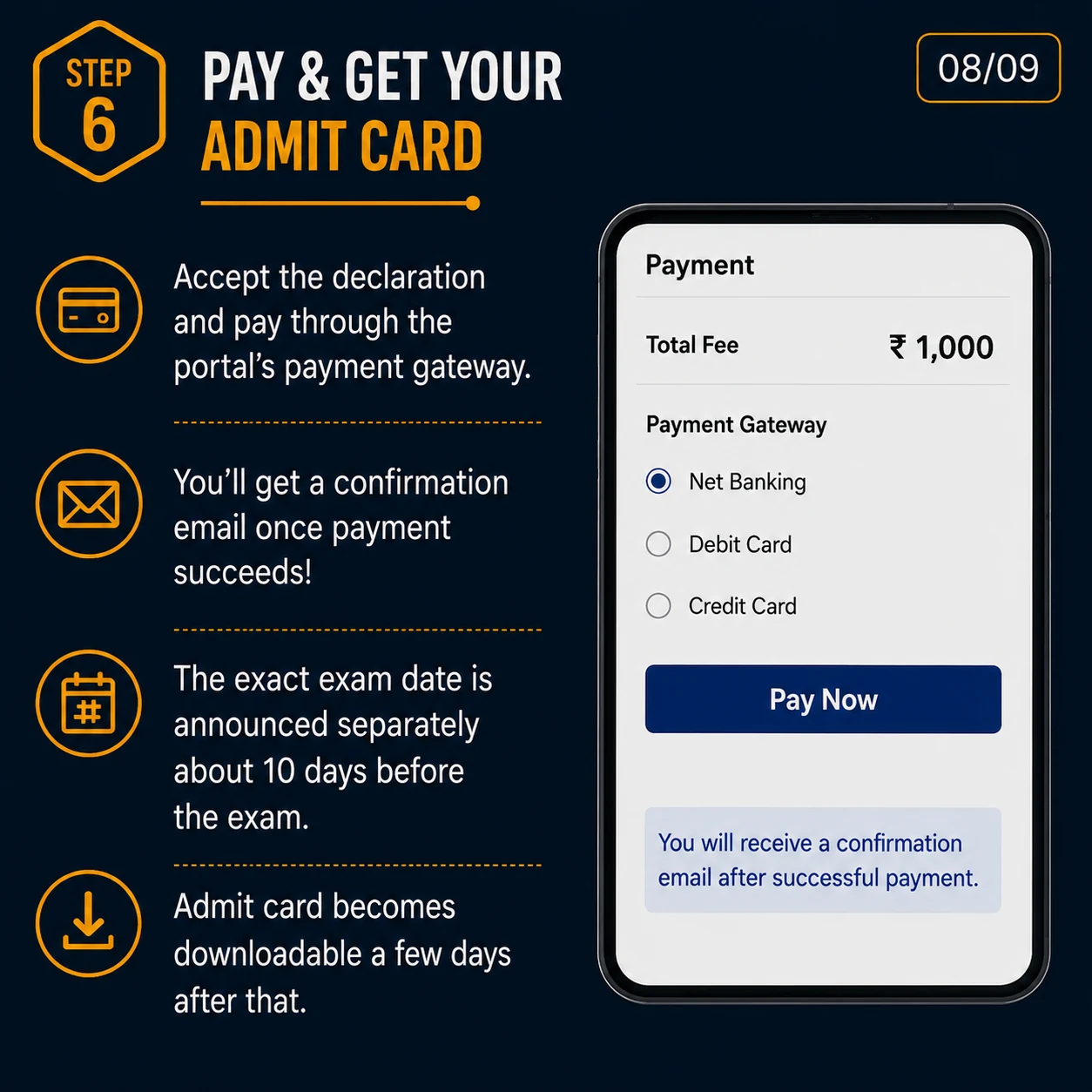
Accept the declaration and pay through the portal payment gateway. You should receive confirmation after successful payment. The exact exam date is announced separately, and admit card download becomes available later.
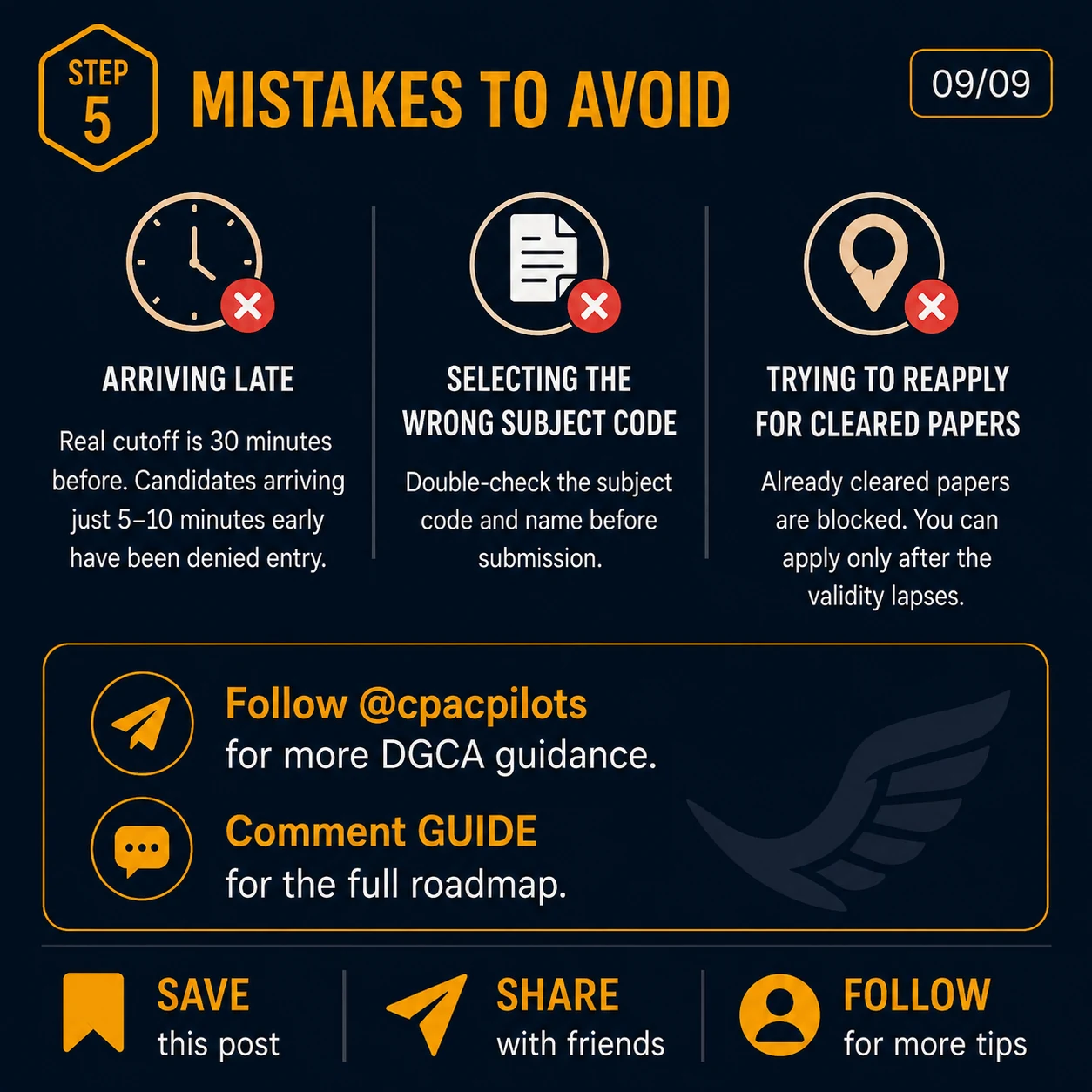
Avoid arriving late, selecting the wrong subject code, or trying to reapply for already-cleared papers. Save the confirmation and follow CPAC guidance to reduce costly errors.
Important Warnings
Related Guidance
Understand the registration process for DGCA's eGCA portal before using DGCA digital services.
DGCA ClassesPrepare for Air Navigation, Aviation Meteorology, Regulations, Technical subjects and RTR(A).
Student SupportGet guidance for Computer Number, eGCA, medical planning and pilot training steps.
FAQs
Need Guidance?
CPAC guides aspiring pilots with DGCA exam planning, Computer Number, eGCA, medicals and pilot training documentation so students can move through each step with more clarity.

Send in an inquiry to get your Pilot experience started. Experience the infrastructure and capabilities of CPAC's premier flying training facility by visiting the Academy.